
Setting up your Voicemod Key is quick and easy. Download our mobile app and follow the simple steps below!

Voicemod Key Pocket Quick Start Guide

Troubleshooting & FAQs
-
How do I set up my Voicemod Key Pocket with my mobile or tablet?
How do I set up my Voicemod Key Pocket with my mobile or tablet? Connect the Voicemod Key Pocket to your phone and open the Voicemod mobile app.
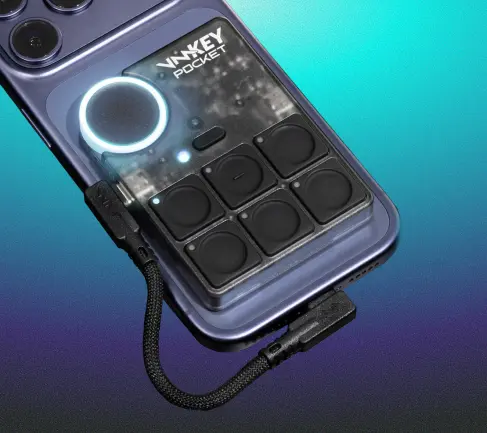
To plug in your Voicemod Key Pocket, use the USB-C cable provided and plug one end into the phone USB-C port, and the other into the USB-C3 port on the left of the Voicemod Key Pocket.
If your phone isn’t MagSafe-compatible, use the metallic sticker on the back of your phone to snap the Voicemod Key Pocket to the back of the phone.
To snap the Voicemod Key Pocket to the back of your tablet, stick the included metallic sticker in a position close to your USB-C port and snap the Voicemod Key Pocket to your tablet.
-
How do I set up my Voicemod Key Pocket with my gaming console?
Turn on your gaming console. Connect the Voicemod Key Pocket to your phone and open the Voicemod mobile app.
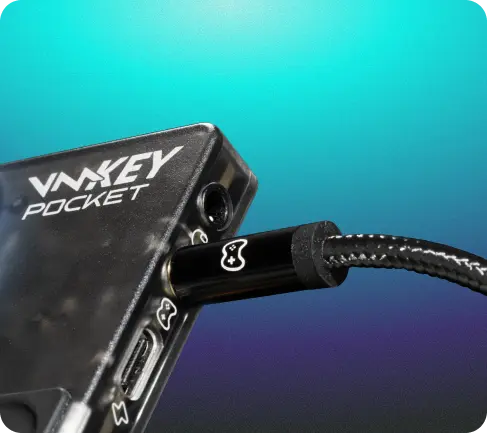
Plug your gaming controller into the Voicemod Key Pocket controller audio port, using the audio cable provided. Finally, plug your headphones (with microphone) into the headphone input on the Voicemod Key Pocket.
-
How do I set up my Voicemod Key Pocket with my Meta Quest?
For this to work with Meta Quest devices, you’ll need to purchase an additional USB-C to 3.5mm audio jack adapter.
Connect the Voicemod Key Pocket to your phone and open the Voicemod mobile app.
To plug in your Voicemod Key Pocket, use the USB-C cable provided and plug one end into the phone USB-C port, and the other into the USB-C port on the bottom of the Voicemod Key Pocket.
Using the audio cable included with your Voicemod Key Pocket, plug one end into the console input jack on the side of the Pocket, then use the additional adapter to plug the other end into your Quest.
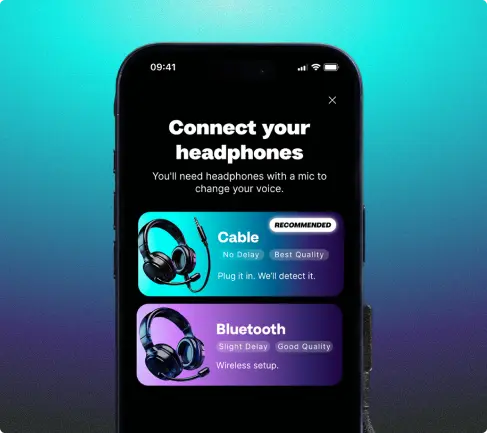
Use your gaming headphones (with microphone), and connect them via Bluetooth or with the Hheadset output jack.
Your Pocket will let you know when you’re successfully connected.
-
Will my microphone sensitivity impact my Voicemod Key Pocket?
Different phones and headsets might require different values. To adjust your microphone or headphone sensitivity, on the mobile app, go to the Voicemod Key Pocket Menu, select the three-dot menu in the top right, and “Open VMKey Settings”. Go to Audio Settings, where you can adjust all microphone, headphone, and advanced settings in the mixer tab.
-
Is Xbox and PlayStation noise reduction impacting my Voicemod Key Pocket?
Xbox or PlayStation can apply noise reduction that can interfere with the voice quality and in the sounds that you trigger. Deactivate that in their settings in order to have a better experience.
-
I still have issues. Can you help me?
If you face any issues, please contact our support at support.
-
Where can I find the Technical User Manual & Compliance?
You can view the complete Voicemod Key Pocket User Manual and Legal Compliance details directly from our dedicated webpage here.