
More noise. More ways to make it. Change your voice, quick fire sounds, record yourself, or remote-control Voicemod from the palm of your hand, on the go.
You can get it for iOS and Android.

More noise. More ways to make it. Change your voice, quick fire sounds, record yourself, or remote-control Voicemod from the palm of your hand, on the go.
You can get it for iOS and Android.
Real-time voice changing on mobile? We’ve got you. VMKey Pocket puts Voicemod right in your pocket. Plug it into your phone and change your voice live on iOs and Android, with soundboards ready to fire while you chat, play and hang out online.

Make some noise, play pranks on friends, pre-record the freshest memes, or prepare a new soundboard for your gaming sessions. Whether you’re connecting to your computer, wireless speakers, or playing them for everyone to hear, we have 200+ high-quality voice changers, 76,000+ community voices, or over 300,000+ sounds to pick from! Cause some chaos, make some noise!

Record and share voice changed audio with friends across Discord, WhatsApp, iOS Messages, Telegram or your phones native messenger. Immerse yourself with 200+ high-quality voices, and 76,000+ community voices, and amaze your friends with personlized messages.

Quick-fire sounds in a tap, or prepare your soundboards for gaming sessions later. All of 300,000+ sounds live in your phone ready for the next session. Perfect for pranks, chaos, and fun!

Switch voice changers, and trigger reactions and memes in a tap. Mute voice effects…or make them louder! Prank, react and entertain with instant sound buttons. Perfect for streamers, gamers, and content creators!
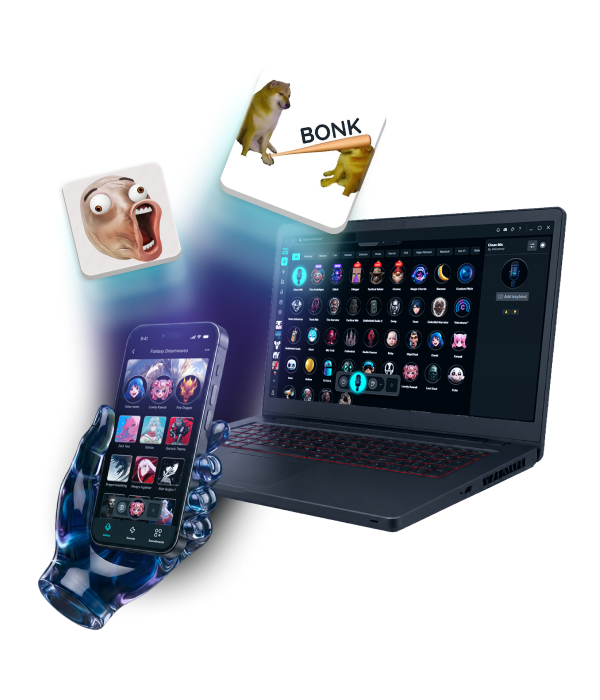
Your voices and sounds, always with you. Voice changing beyond your PC.

Send voice changed audio messages to friends or family, across Discord, WhatsApp, iOS Messages, Telegram or more!

Prepare your soundboards before you get home. Collect new memes through the day, record your friends, have the freshest soundboard ready to go.

A basketball game that needs more horns? Play the noises you want to hear in the wild with wireless connections!


